Renku Release | July 2026 • Non-Interactive Jobs, Private Images and Data Connector Pages


This release is about extending Renku beyond the interactive session. Your environment, your data, and your code stay in one place, whether you are running a long batch job, building a session from a private repository, or managing the data connectors your projects depend on.
Interactive sessions are where a lot of research starts, but not where it ends. With the 2.18.0 and 2.19.0 updates, you can now take the same project you are working in and run it as a non-interactive job without duplicating your setup or shipping your work off to another platform.
🚀 Run Non-Interactive Jobs, Right from the UI
Not everything is interactive. Long training runs, large processing tasks, and scheduled pipelines are batch work.
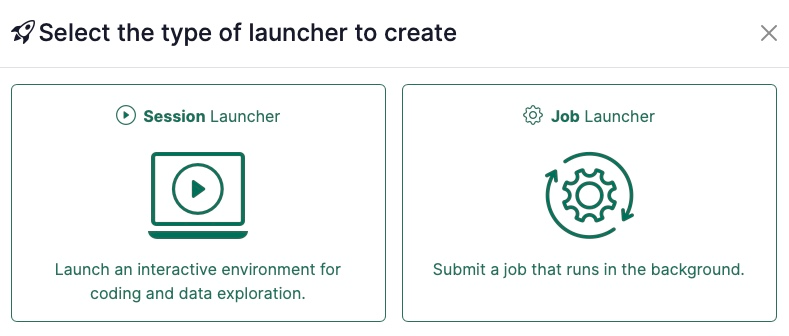
Renku Jobs offer a frictionless jump from exploration to execution. You can now create a Job launcher right next to your Session launchers, in two ways:
- From your existing code: Take a project you've already been working in and run it as a job. Choose "build from code," point to the same repository that defines your interactive environment, and add one extra field, namely your job command. Same environment, same data, no re-setup.
- From an external image: Already have a Docker image you run elsewhere? Bring it to Renku as an external environment, set your command and arguments, and run it on Renku compute, even if it has no interactive front end. How it works: A Job launcher has a Submit button instead of Launch. When you submit, a modal lets you review the job command and resource class, and tweak them for that run only, before it goes. The job then appears on your project page, where you can view logs, cancel it, and track its runtime. Unlike sessions, a single Job launcher can run many jobs at once.
One project can now hold work at different stages and for different collaborators. An ML engineer can run model-training jobs while a domain expert tests the resulting model in a notebook or dashboard, while all data and code stay in the same place.
🔒 Building Private Images from Code
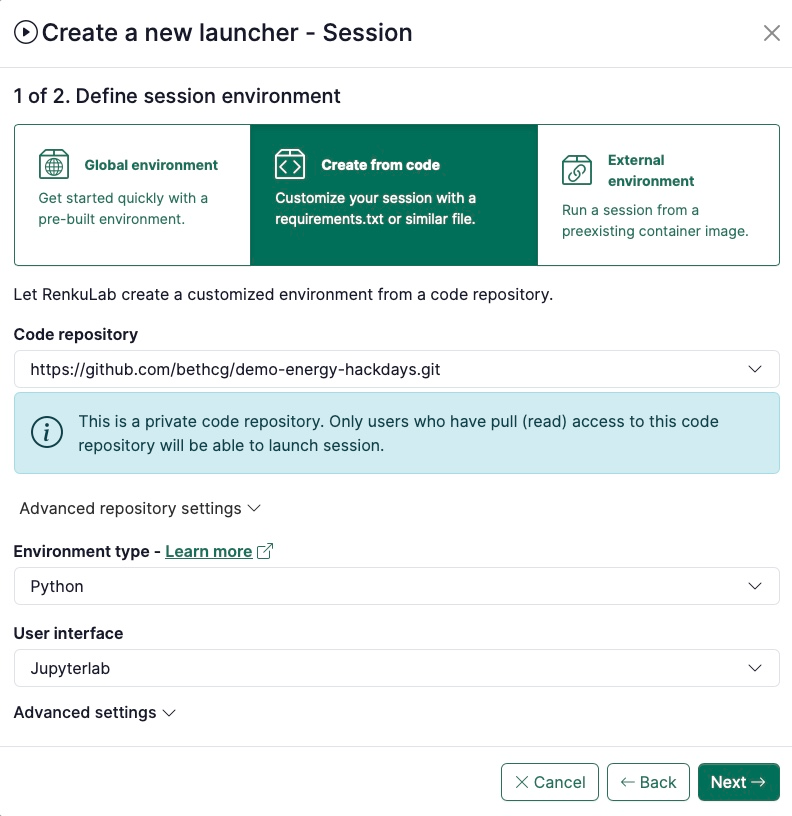
The build-from-code experience introduced in earlier releases is now rounded out to support building session launchers from private code repositories. Images built from your repository can be kept private, so proprietary code and dependencies stay contained within your project rather than being exposed.
Be aware that only collaborators with read access to your private code repository will be able to launch a session from it.
🔗 Dedicated Pages for Data Connectors
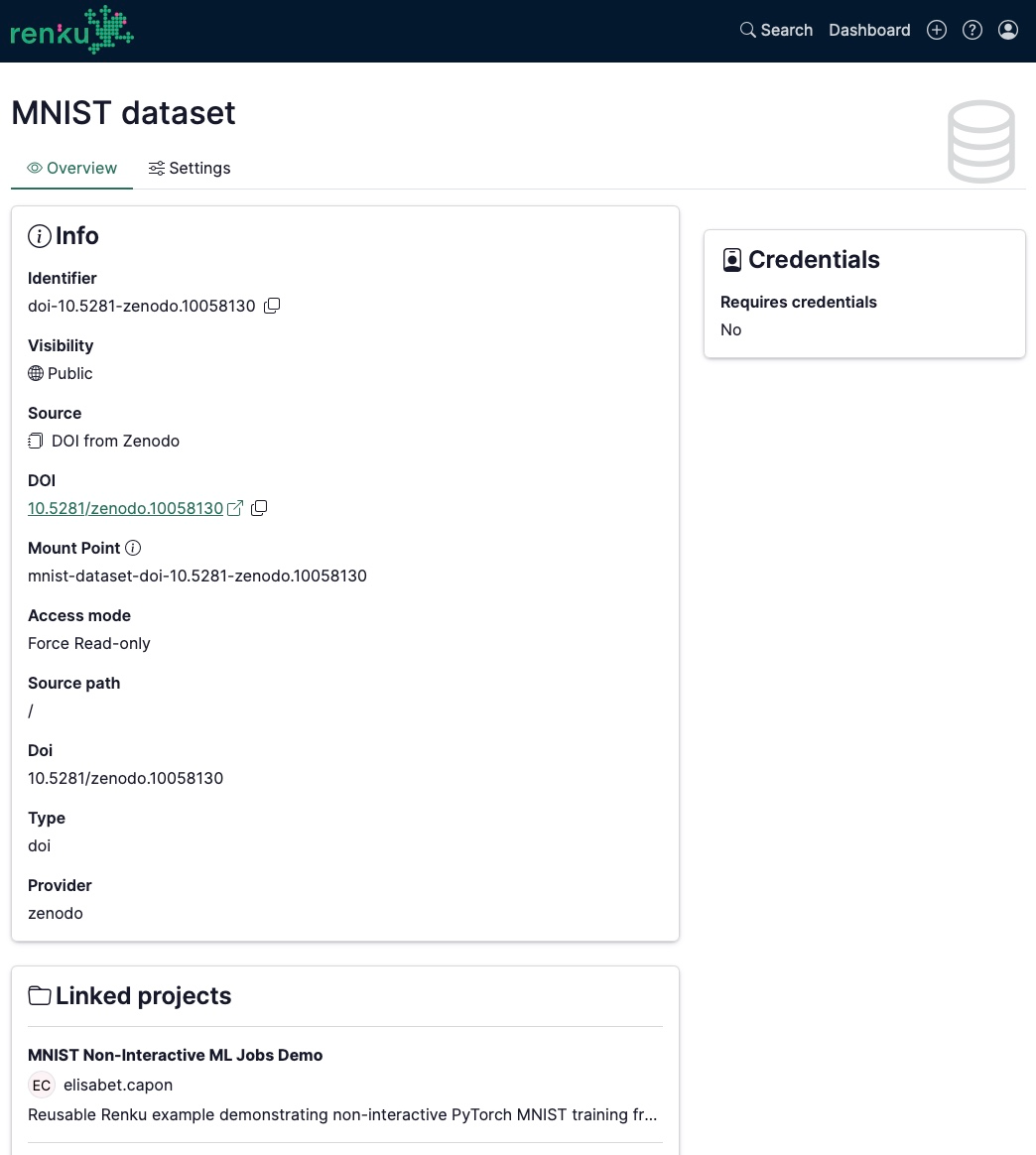
Projects aren't the only things with their own page anymore: now every data connector has a dedicated page too. From it, you can modify the connector's settings, explore its metadata, and see exactly which projects the connector is used in.
To access the data connector page, click on top of the data connector. On the right hand side modal at the top next to the close icon, click on the Open full page icon.
🔧 Under the Hood: Fixes & Performance
Alongside these features, we shipped a range of smaller fixes, administrator improvements, and performance tweaks across these releases. For the full technical breakdown, see our GitHub Releases page.
🐸 Ready to get started? Hop into renkulab.io and get a jumpstart with our documentation.
💬 We love to hear your feedback! Share questions, ideas, and suggestions with us on our forum.
📺 Prefer a walkthrough? Watch the Renku feature preview on YouTube.
🚀 Curious about what's coming next? Check out our roadmap to see what new features we're working on.